
If you work with Docker, you’ve probably run into this at some point.
You spin up a Postgres or MySQL container for a project. Everything is running fine. Then you want to look at the data. Maybe a migration behaved strangely, maybe you want to insert a quick test row, or maybe you just want to confirm what’s actually in the database.
That’s when things get annoying.
You either drop into the terminal and start typing psql commands, install a desktop tool like pgAdmin and wait for it to load, or spin up another heavy container just to get a UI. It always feels like more effort than it should be just to inspect your own data.
I kept running into this friction, and eventually I decided to stop working around it and build something that fits how I actually use Docker.
That’s how DockAdmin started.
##What is DockAdmin?
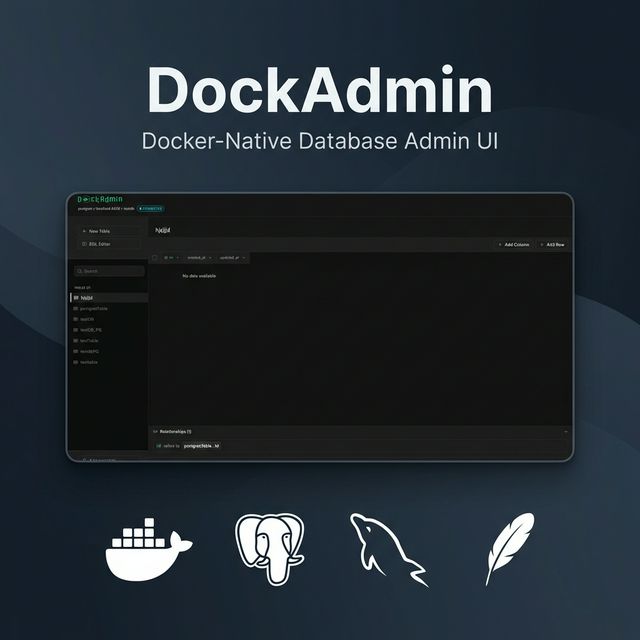
DockAdmin is a lightweight database admin UI that runs directly inside your Docker environment. You add it to your compose file, run your stack, and immediately get a clean browser interface for managing your database.
services:
    postgres:
        image: postgres:16
        environment:
            POSTGRES_USER: admin
            POSTGRES_PASSWORD: admin
            POSTGRES_DB: myapp

    dockadmin:
        image: demlabz/dockadmin
        ports:
            - '3000:3000'
No extra configuration, no setup wizard, and no external tools to install. It’s just another container that gives you a database UI.
It supports PostgreSQL, MySQL, and SQLite, which covers most everyday development use cases.
##Why Build Another Database Admin Tool?
There are already plenty of tools out there, but most of them don’t fit naturally into a Docker-first workflow.
Desktop tools are powerful, but they live outside your container environment. That means installing them, configuring connections, and maintaining them separately. That feels excessive when you only need to inspect a few rows or quickly test something.
Adminer comes much closer to what I wanted. It’s lightweight, runs in a container, and uses database credentials for authentication, which keeps things simple. But the interface feels dated, and the overall experience doesn’t match what modern developer tooling looks like today.
phpMyAdmin is also container-friendly, but it’s MySQL-only and carries a lot of historical baggage.
What I really wanted was something simple like Adminer, but with a modern UI, proper multi-database support, and a design that feels native to Docker from the start. That combination didn’t really exist, so I built DockAdmin.
##Why Rust on the backend?
Choosing Rust was a practical decision.
The full DockAdmin Docker image is around 15 MB, which is smaller than many node_modules directories. Rust compiles to a single static binary, so the runtime container only needs Alpine Linux and the compiled executable. There’s no interpreter, no runtime dependency chain, and no garbage collector to manage.
The backend uses Axum as the web framework and SQLx for database access. Axum is fast and ergonomic, and SQLx provides compile-time query checking with async support across Postgres, MySQL, and SQLite.
Here’s the Dockerfile:
# Frontend Build
FROM node:22-alpine AS frontend
WORKDIR /ui
COPY ui/package*.json ./
RUN npm install
COPY ui .
RUN npm run build

# Backend Build
FROM rust:1-alpine AS backend
WORKDIR /backend
COPY backend/Cargo.toml backend/Cargo.lock ./
RUN mkdir src && echo "fn main() {}" > src/main.rs
RUN cargo build --release
COPY backend/src ./src
RUN touch src/main.rs
RUN cargo build --release
RUN strip target/release/backend

# Runtime
FROM alpine:latest
COPY --from=backend /backend/target/release/backend ./dockadmin
COPY --from=frontend /ui/dist ./ui
EXPOSE 3000
CMD ["./dockadmin"]
It’s a straightforward multi-stage build that compiles the frontend, compile the backend, and copy both into a minimal runtime container. Stripping debug symbols trims the binary further, and the final image starts quickly and uses very little memory.
##The Frontend Stack
The UI is built with React 19, TypeScript, and shadcn/ui components on top of Radix UI and Tailwind CSS. Routing is handled by TanStack Router, and the SQL editor uses CodeMirror 6.
The goal was to make the interface feel like a tool you’d actually enjoy using, not just something functional. shadcn/ui helped a lot here because it provides polished components without forcing a rigid design system.
The frontend compiles into static files that the Rust backend serves directly, so there’s no separate frontend server at runtime.
##What You Can Do With It
Here's a quick rundown of the features in the current release (v0.1.0):
Connect to Your Database
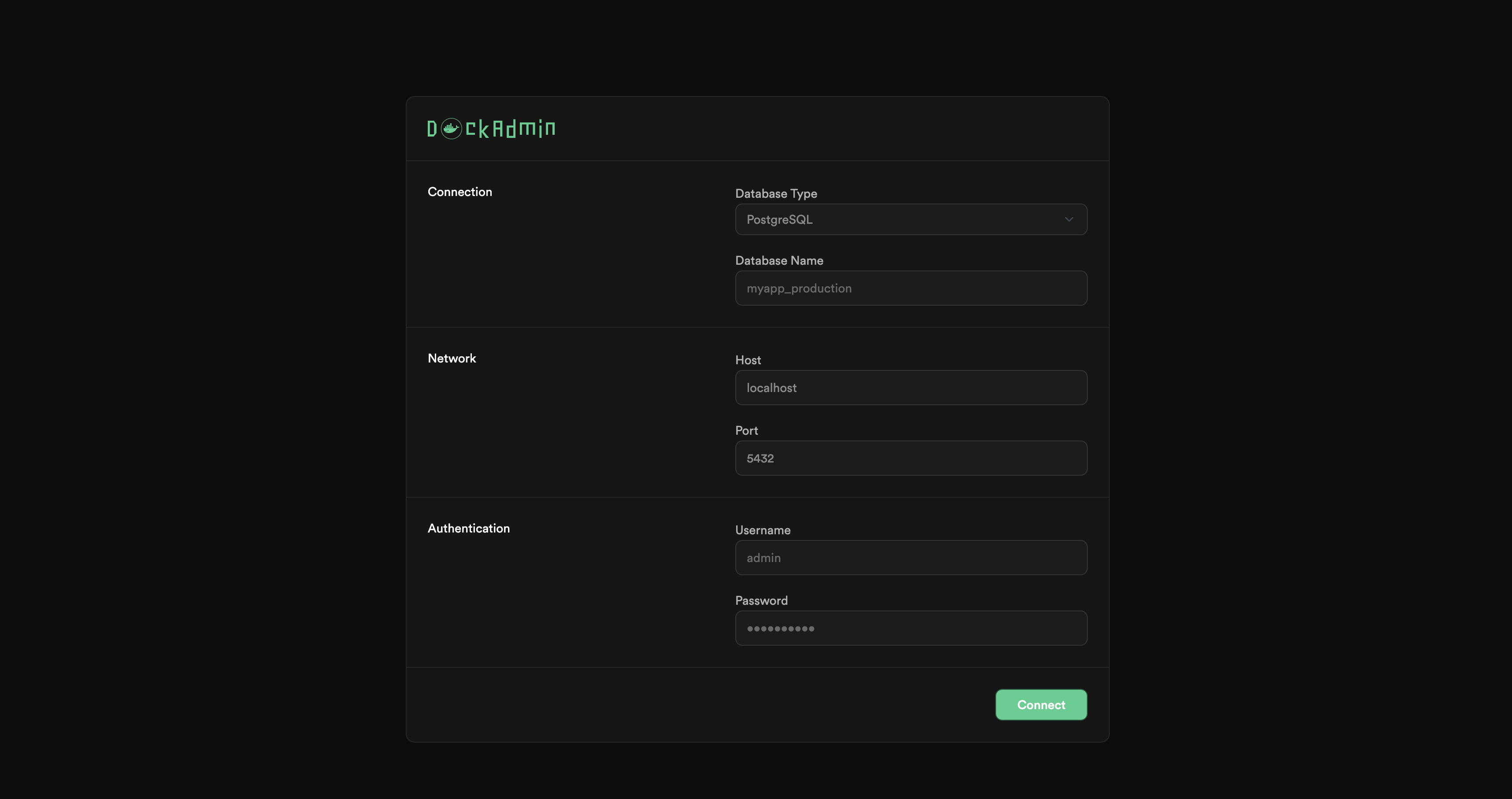
Open localhost:3000, pick your database type, enter your credentials, and you're in. When running inside Docker Compose, you use the container name as the host (e.g., postgres or mysql). That's the whole auth flow. Your database credentials are your login, the same approach Adminer uses, and it works really well.
Browse and Edit Data
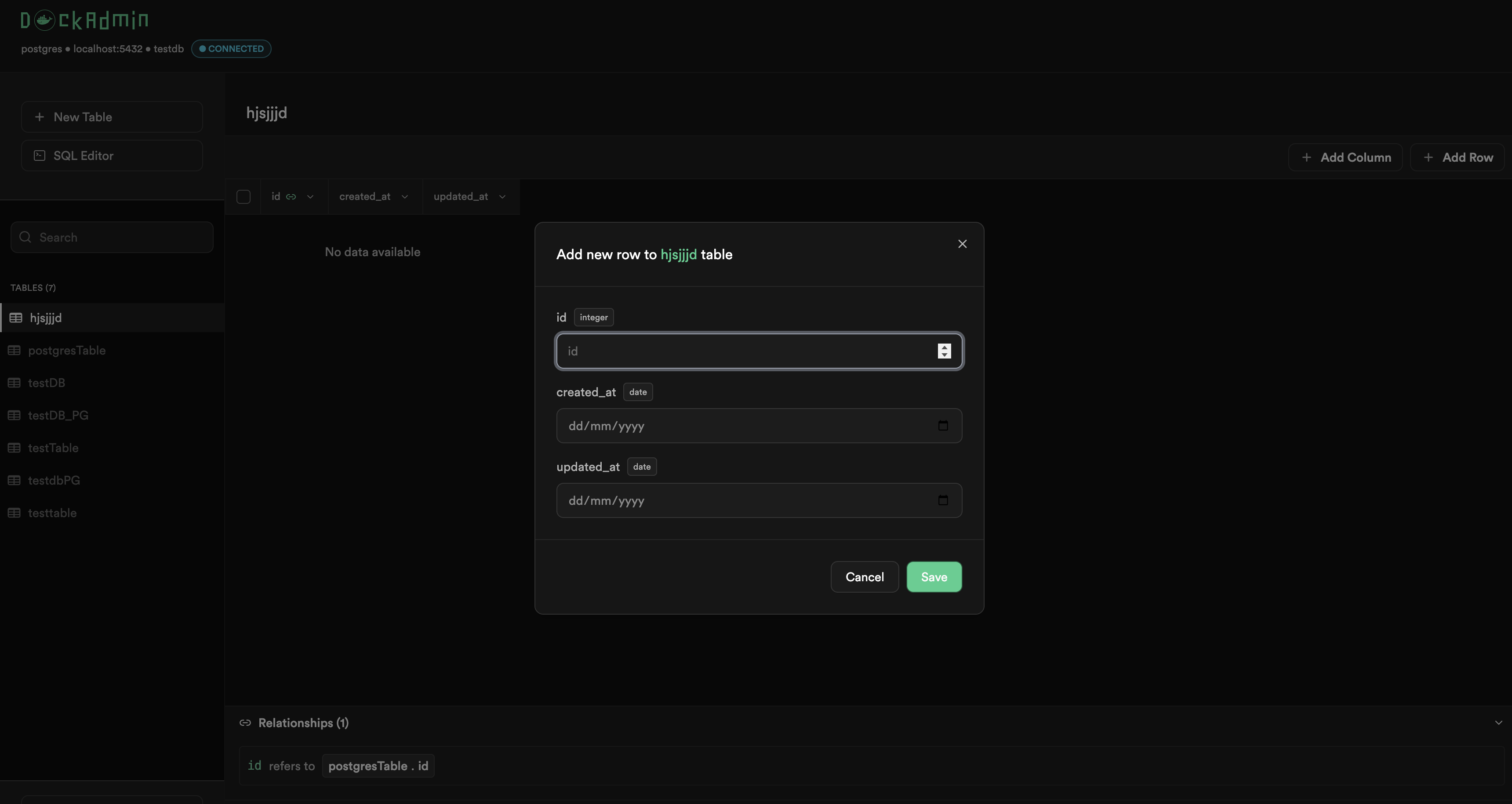
Click on any table and you'll see your data in a clean, paginated grid. You can scroll through records, and get a feel for what's in there.
Need to change or add something? Use the CRUD buttons to add, edit, or delete a row.
Create Tables Visually
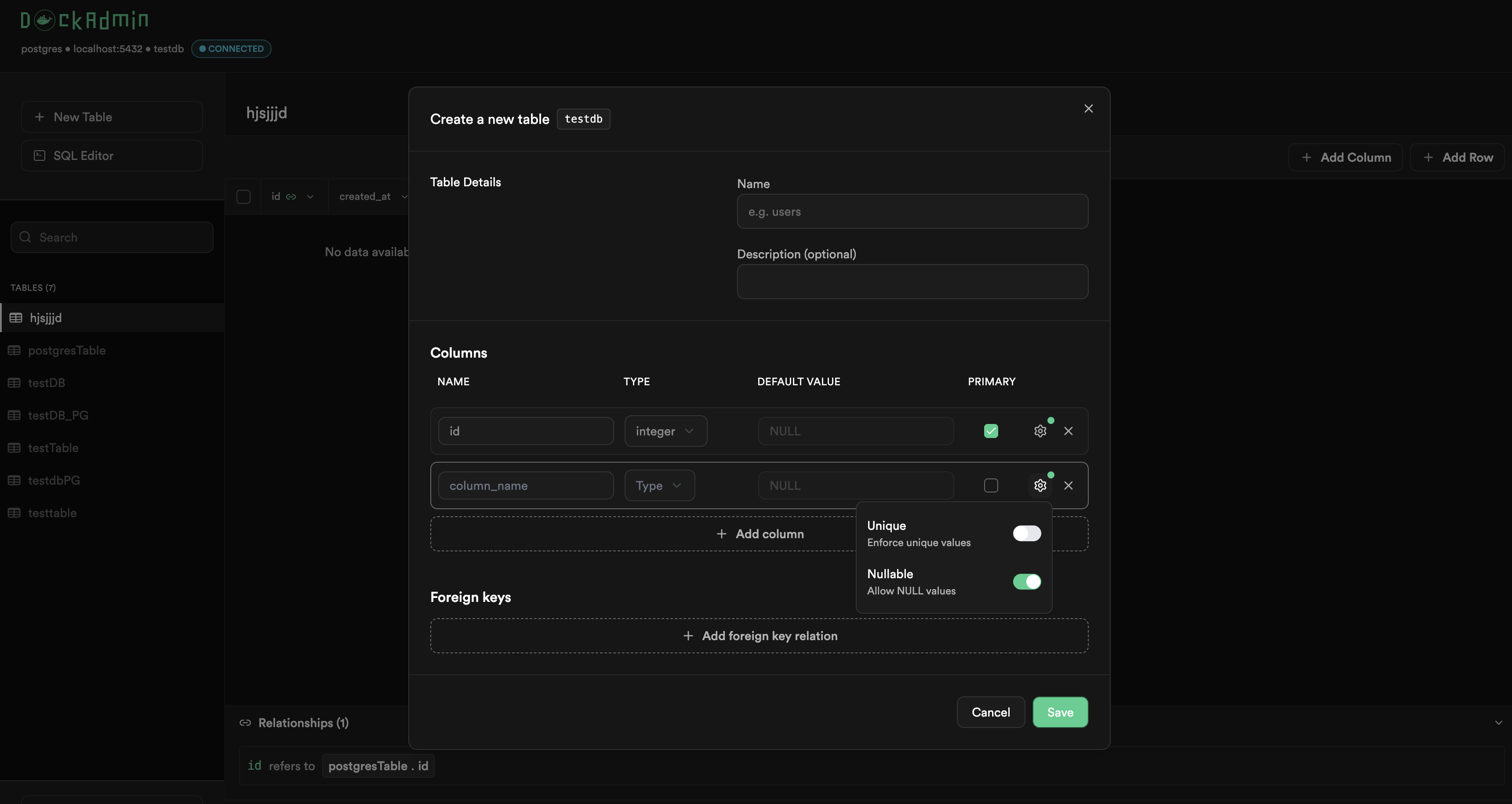
You can create new tables without writing any SQL. The table builder lets you define columns, set data types, and toggle constraints like primary key, not null, and unique. You can also set up foreign key relationships to other tables, including ON DELETE and ON UPDATE cascade rules.
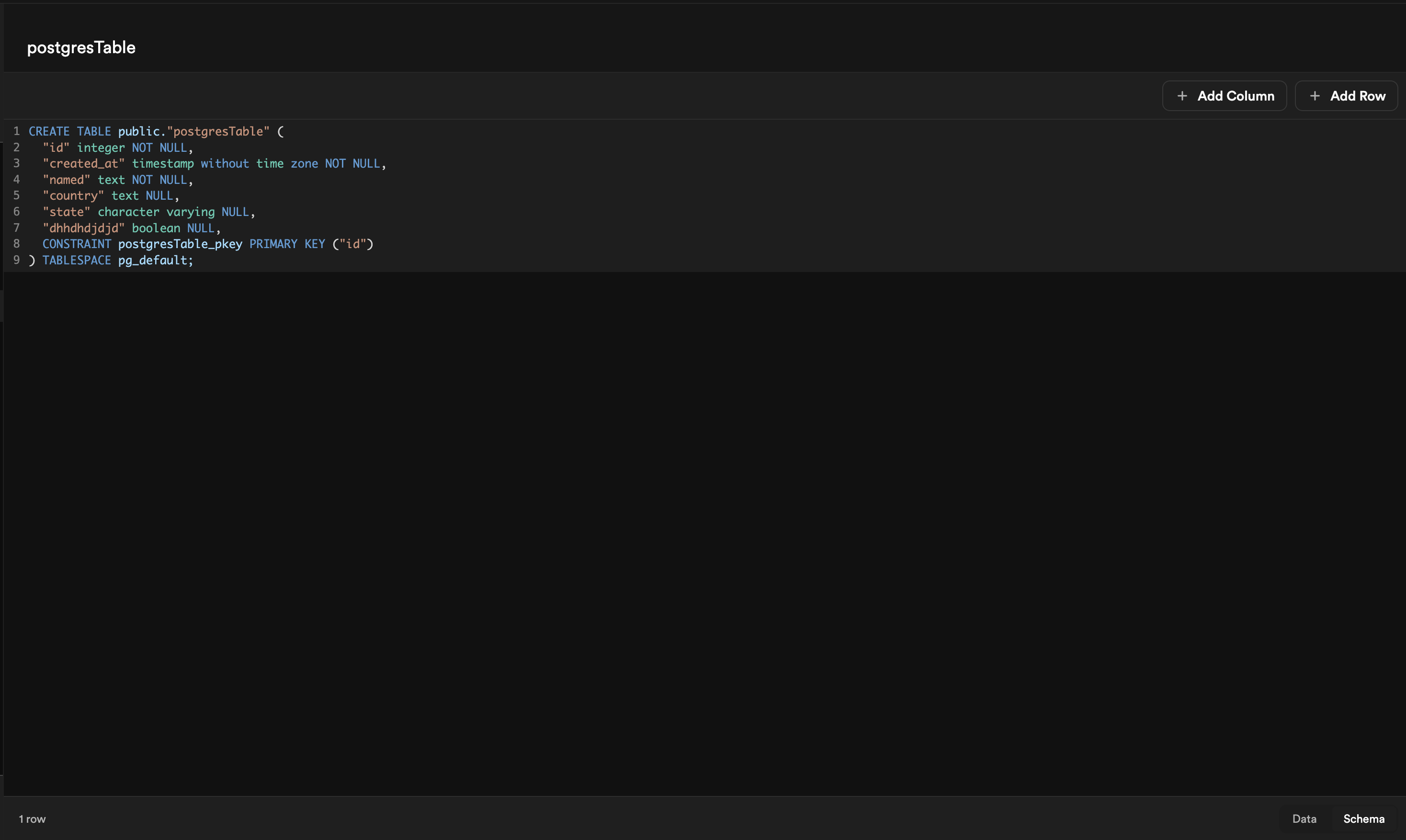
Explore Your Schema
The schema viewer gives you a quick look at any table's structure. You can check the column names, data types, constraints, and foreign key relationships. It's handy when you need to understand how a database is set up without digging through migration files.
Write Raw SQL
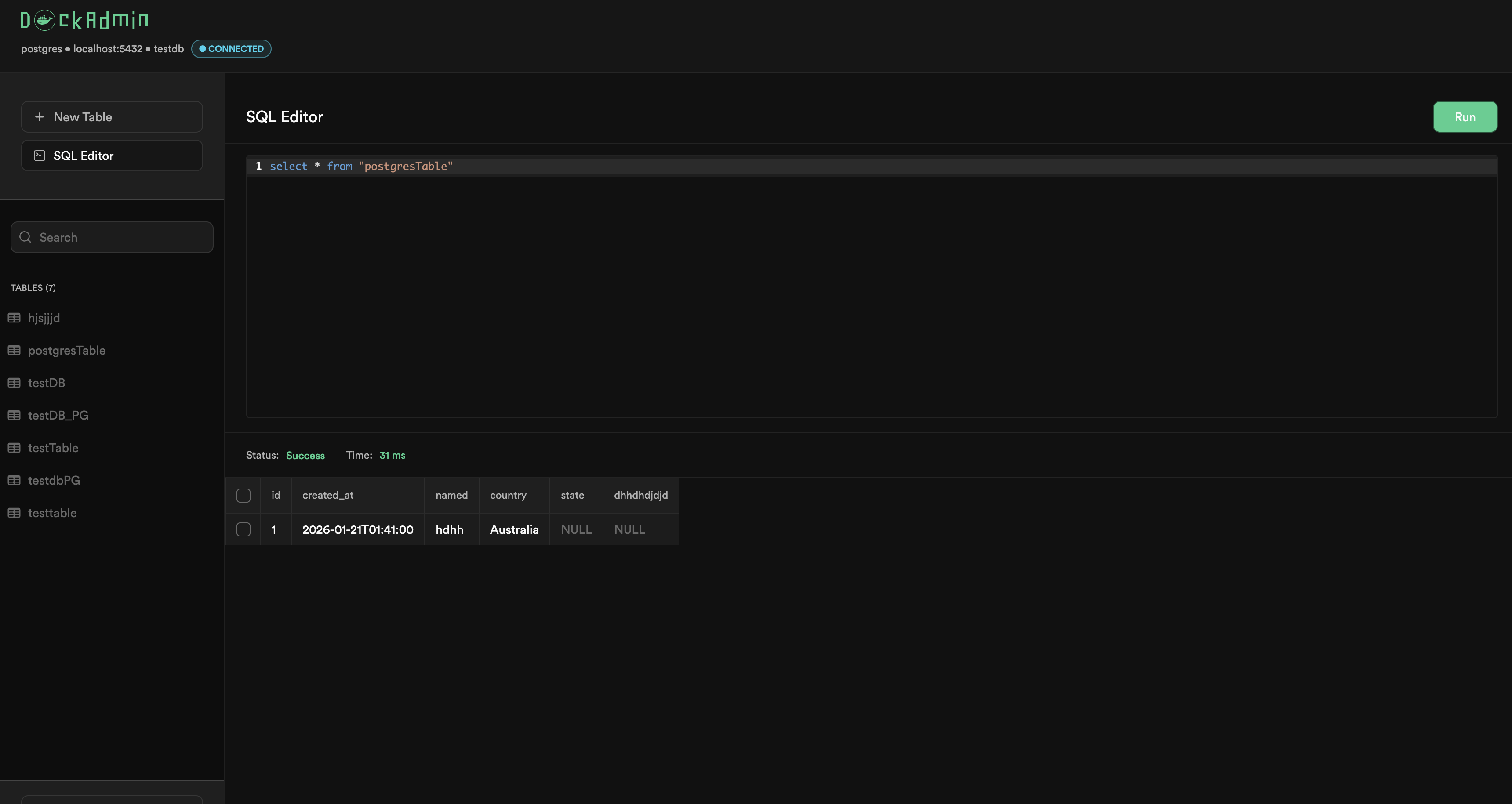
For those times when a UI just won't cut it, there's a built-in SQL editor powered by CodeMirror. It has syntax highlighting, and you can run any query and see results right there. Great for quick debugging, running one-off scripts, or testing complex queries.
##What I learned Building It
Supporting multiple databases consistently was harder than expected. Postgres, MySQL, and SQLite all expose schema information differently. Listing tables, reading constraints, handling relationships. Each database has its own quirks, and building one abstraction layer across all of them required more edge-case handling than I initially planned.
Docker image optimization was another learning curve. The first image I built was over 100 MB. Getting it down to around 15 MB involved multi-stage builds, Alpine base images, dependency caching, and stripping the binary. Each change helped a little, but together they made a huge difference.
I also learned how important open-source infrastructure is from the beginning. Issue templates, contribution guides, CI/CD pipelines, and automated workflows take time to set up, but they make collaboration much smoother once people start contributing.
##What’s Next
DockAdmin is currently in active development, and there’s a clear roadmap:
- Data export to SQL and CSV
- File import
- Full-text search
- Multi-database sessions
These are all areas where community feedback and contributions can shape what it becomes.
##Try It Out
You can run DockAdmin in seconds:
docker run -p 3000:3000 demlabz/dockadminOr add it to your Docker Compose setup:
dockadmin:
    image: demlabz/dockadmin
    ports:
        - '3000:3000'
The project is open source under MIT and available on GitHub.
If you find it useful, star the repo. If something breaks, open an issue. And if you want to contribute, check the good-first-issue label and the contributing guide.
The stack is Rust and React, so there’s plenty to explore on either side.
Thanks for reading.